See what you spent
Review recorded spending with income alongside it. Follow a calendar month or a reporting period that starts on your salary day.
Your everyday money, clearly.
Spending, budgets and bills in one private ledger. No bank login needed.
Public beta builds · Android installs outside Google Play
Available in English and Arabic.
Live capture
Each platform allows something different, so Wafra uses a different route on each. Both end in the same encrypted ledger, and neither route needs a bank login.
Automatic categories
Bank alerts name merchants in shorthand. Wafra trims the terminal codes, finds the merchant and gives the charge a category. It knows merchant words in English, Arabic and several other languages.
POS 4821 CARREFOUR MKT 0231CarrefourGroceriesUBER *TRIP HELP.UBER.COMUberTransportSTARBUCKS #1182 DUBAI MALLStarbucksDiningNETFLIX.COM 866-579-7172NetflixEntertainmentREFUND AMAZON MKTPLACEAmazonRefund · not spendingTell it once. Change a merchant’s category and its next charges follow your choice.
Subscriptions and bills
Wafra spots charges that repeat, learns their rhythm and shows when the next one is due. Price rises and services that have gone quiet are flagged.
Utilities, rent and card statements are counted apart, so this is only what you could cancel.
A closer look
Three focused views for your everyday money. Actual app screens with sample data.
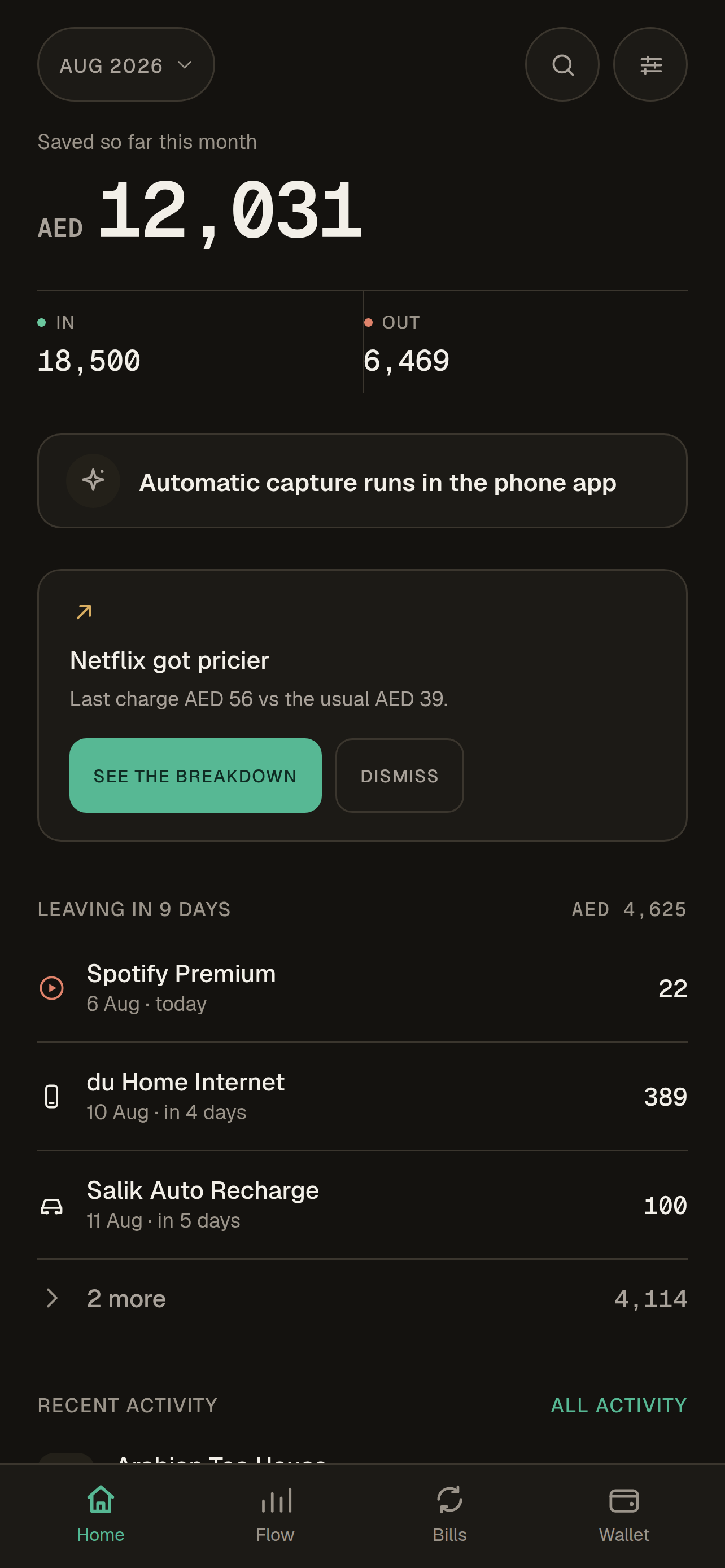
Today’s spending and what’s left in your budgets first. Then the month’s in and out, the last seven days and the next payments.
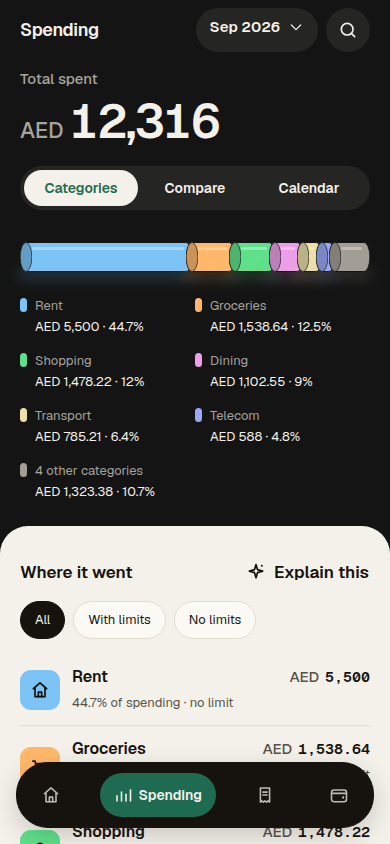
Every category as its own coloured coin, sized by the category’s share of total spending. Budget usage is labelled separately.
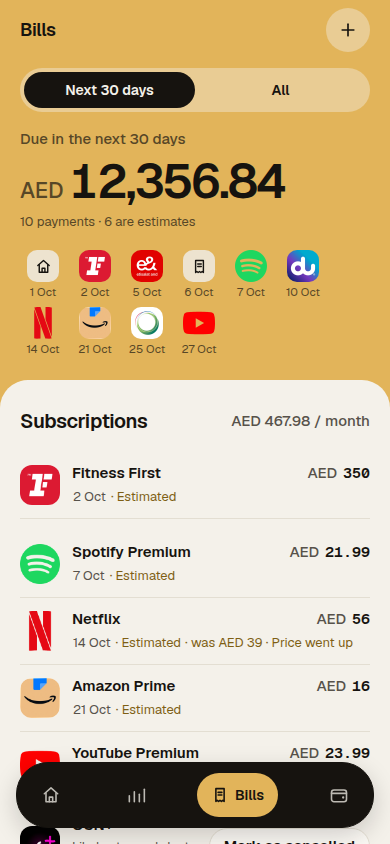
Subscriptions and utilities in separate sections. Dates and estimated charges stay visible.
The daily picture
See what you have spent, what is due and how your categories are tracking.
Review recorded spending with income alongside it. Follow a calendar month or a reporting period that starts on your salary day.
Keep bills, card statements and recurring charges together, with due dates that do not disappear into a feed.
Set category budgets and read spending pace before a small change becomes an end-of-month surprise.
Private by design
Wafra has no sign-up and no advertising. Your main ledger is encrypted on your device. Manual tracking works wherever you live; supported bank-alert imports are optional and platform-specific.
Supported bank SMS and optional bank-app notifications are processed on the device when you enable access. Availability varies by bank and country.
Wafra cannot read the Messages inbox. Optional automatic capture runs only for bank senders the user selects, then processes supported bank alerts locally on this iPhone. This path does not upload their text.
Leave automatic Message capture off and use manual entry or user-initiated imports instead.
Plain answers
No. There is no bank login. Start manually, paste an alert you choose, or enable an optional supported import method on your device.
No. Android message access is optional and only used after you choose supported alert imports. iPhone does not expose the Messages inbox to Wafra; optional capture runs only for bank senders the user selects, then processes supported bank alerts locally on the iPhone. This path does not upload Message text.
Yes. Manual budgeting and expense tracking work anywhere. Automatic bank-alert imports vary by bank, country and message format, so manual entry remains available when an alert is not supported.